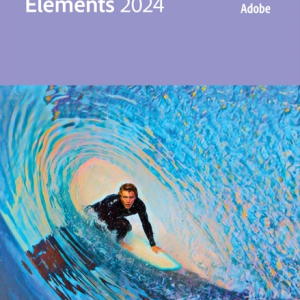
Adobe Premiere Elements 2024: Powerful Video Editing Software for Windows and macOS
Explore Adobe Premiere Elements 2024, the latest version of the leading video editing software designed for beginners and experienced video editors alike. With a comprehensive set of tools and features, Adobe Premiere Elements 2024 enables users to create, edit and share stunning videos regardless of their skill level.
Simple Video Editing Tools: Adobe Premiere Elements 2024 offers an intuitive user interface and simple editing tools that allow users to edit, crop, edit and enhance videos quickly and easily.
Automatic Creative Options: With features such as Adobe Sensei AI technology, users can automatically apply effects, transitions and color corrections to enhance and transform their videos with just one click.
Advanced Editing Functions: In addition to simple editing tools, Adobe Premiere Elements 2024 also offers advanced editing features such as multicam editing, picture-in-picture effects and chroma keying, allowing experienced users to express their creativity and perform complex edits.
Sound editing: Adobe Premiere Elements 2024 offers advanced audio editing tools that allow users to mix audio, equalize, apply noise reduction and more to improve the audio quality of their videos.
Interactive Slideshows: Adobe Premiere Elements 2024 offers the ability to create dynamic slideshows with custom transitions, moving titles and music, allowing users to present their photos and videos in an engaging way.
Support for Windows and macOS: Adobe Premiere Elements 2024 is compatible with both Windows and macOS, allowing users on different platforms to take advantage of the software’s powerful video editing capabilities.
System requirements:
For Windows:
- Operating system: Windows 10 (64-bit) version 1903 or later
- Processor: 2 GHz or faster with SSE2 support; dual-core processor for HDV editing
- RAM: 4 GB or more (8 GB recommended)
- Disk space: 7.6 GB free hard disk space for installation
- Screen resolution: 1280×800 screen resolution (at 100% scaling)
- Graphics card: GPU with DirectX 12 support
For macOS:
- Operating system: 3 most recent versions macOS
- Processor: Intel multicore processor with 64-bit support
- RAM: 4 GB or more (8 GB recommended)
- Disk space: 12 GB free hard disk space for installation
- Screen resolution: 1280×800 screen resolution (at 100% scaling)
Whether you are a beginner just getting started with video editing or an experienced user looking for advanced editing features, Adobe Premiere Elements 2024 provides the tools and capabilities you need to create, edit and share stunning videos. Experience the power of Adobe Premiere Elements 2024 and take your video projects to new heights.
Adobe Premiere Pro CC is the leading video editing software for professionals and aspiring video creators. This powerful video editing tool offers a wide range of features and advanced capabilities, giving you the freedom to turn your creative vision into stunning visual masterpieces. Whether you are working on short films, documentaries, commercials or YouTube videos, Adobe Premiere Pro CC is the ultimate choice for video editing.
Key features:
- Powerful video editing: Adobe Premiere Pro CC offers you a wide range of editing options, including cutting, cropping, merging, adding transitions and much more. The intuitive interface lets you edit quickly and accurately.
- Improved performance: This version is optimized for performance, with faster rendering times and smoother editing. Improvements in hardware acceleration allow you to manage your projects more efficiently, even at high resolutions.
- Color correction and grading: Adobe Premiere Pro CC includes powerful color correction tools, including Lumetri Color, to enhance the look of your videos. Adjust color, exposure and contrast to create the desired visual atmosphere.
- Advanced audio editing: In addition to video editing, Adobe Premiere Pro offers extensive audio editing capabilities. You can edit audio, add effects and optimize sound for an immersive viewing experience.
- Support for VR and 360-degree video: This software supports editing and exporting VR and 360-degree videos, allowing you to create innovative content for the latest media formats.
- Integration with Adobe Creative Cloud: Adobe Premiere Pro CC is seamlessly integrated with other Adobe Creative Cloud apps such as After Effects, Photoshop and Audition. This allows you to improve your workflow and collaborate effectively within the Adobe ecosystem.
- Auto-save and cloud storage: Your work is always protected thanks to the automatic save feature. Plus, you can save projects to Adobe’s cloud storage so you can access them from any device.
System requirements:
Minimum system requirements:
- Operating system: Windows 10 (64-bit) or macOS 10.15 or higher.
- Processor: Intel or AMD processor with 64-bit support, 2 GHz or faster.
- Memory (RAM): 8 GB RAM (16 GB or more recommended for 4K editing and above).
- Graphics card: GPU with 4 GB VRAM (2 GB or more for GPU acceleration).
- Storage: Minimum 8 GB free hard drive space for installation; additional free space required during installation.
- Screen: Screen with a resolution of 1280 x 800 pixels.
- Internet connection: Required for software activation, subscription validation and access to online services.
Additional system requirements for certain features:
- For VR and 360-degree video: A compatible VR headset and system for viewing VR content are required for VR editing.
- For hardware acceleration: Adobe recommends specific GPUs for hardware acceleration with CUDA and OpenCL.
Adobe Premiere Pro CC is the choice of professionals worldwide for its unparalleled capabilities and seamless integration with other Adobe tools. Whether you are a seasoned video editor or just starting out in video production, this software offers the power and flexibility you need to take your video projects to the next level. Create visual masterpieces with Adobe Premiere Pro CC and bring your stories to life.



 Original License